# MAME Web Application
[MAME Documentation](https://docs.mamedev.org/index.html)
[GitHub Repository](https://github.com/mamedev/mame)
[Emscripten Javascript and HTML](https://docs.mamedev.org/initialsetup/compilingmame.html#emscripten-javascript-and-html) will help to run this emulator within a web application
### Overview
To run mame as a web application, we need a few things..
* ROMs to run
* MAME Source Code
* Clone & Install Emscripten
* Compile MAME with Emscripten
* Clone Emularity Loader
* Copy required configurations to the root of our webserver
* Modify the javascript within Emularity's provided `.html` examples to reflect the ROMs and emulators we want to run
* Configure NGINX to point to our Emularity configs
MAME is the emulator
Emscripten is the compiler
Emularity is the loader ( We need this to serve the compiled `.js` files generated by Emscripten )
#### ROM Requirements
To run a specific ROM within this webserver, we need a few specific files
* A MAME driver for the ROM we want to run
* Compiled from `.cpp` to `.js` using Emscripten
* A `.zip` archive containing the ROM itself
#### End Result
[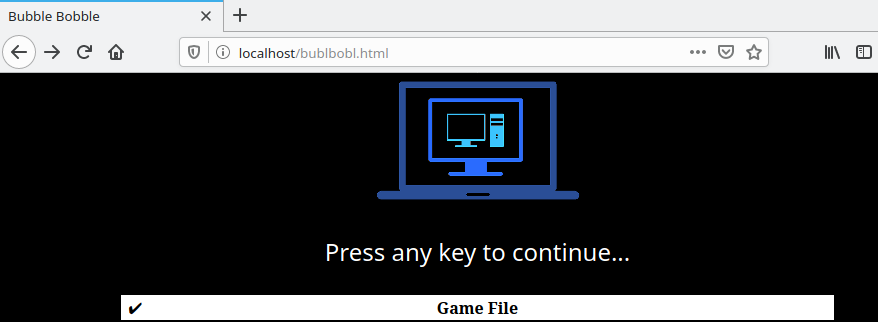](https://www.knoats.com/uploads/images/gallery/2020-07/image-1593701282345.png)
[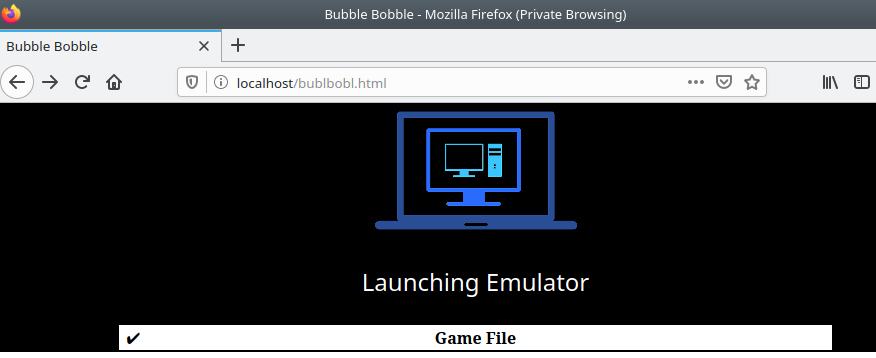](https://www.knoats.com/uploads/images/gallery/2020-07/image-1593701303269.png)
[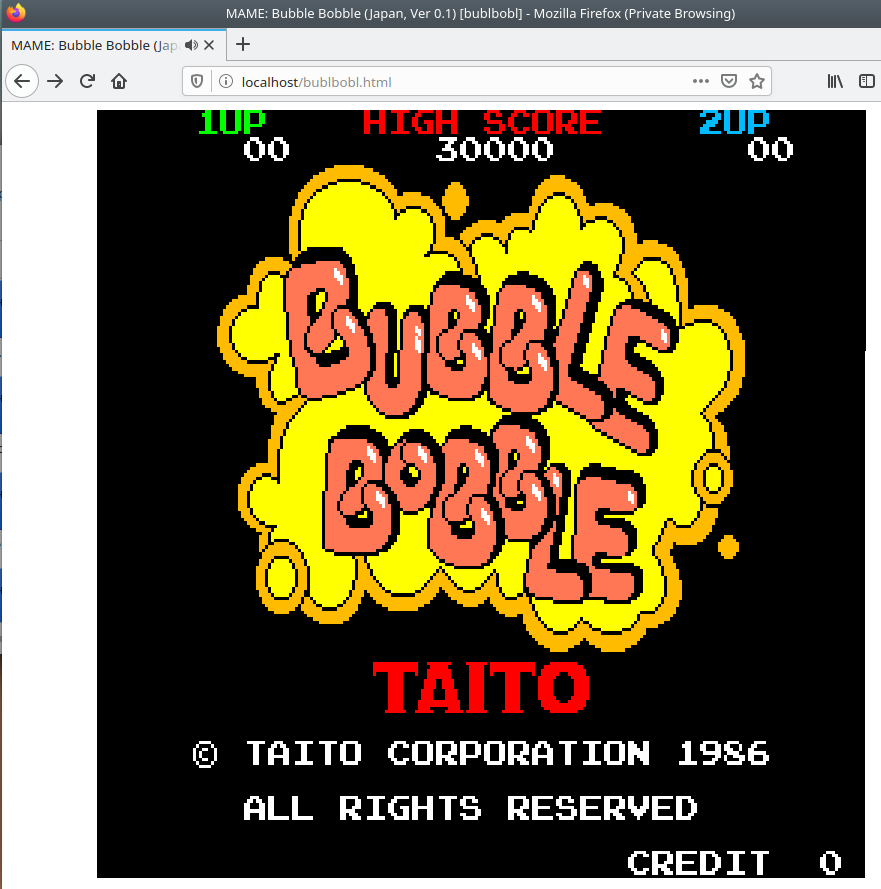](https://www.knoats.com/uploads/images/gallery/2020-07/image-1593701313558.png)
Pressing `TAB` brings up an options menu, allowing for the user to modify *this session's* keybinds and other various settings. I have not found a way to make these persist either on the backend or frontend of Emularity.
[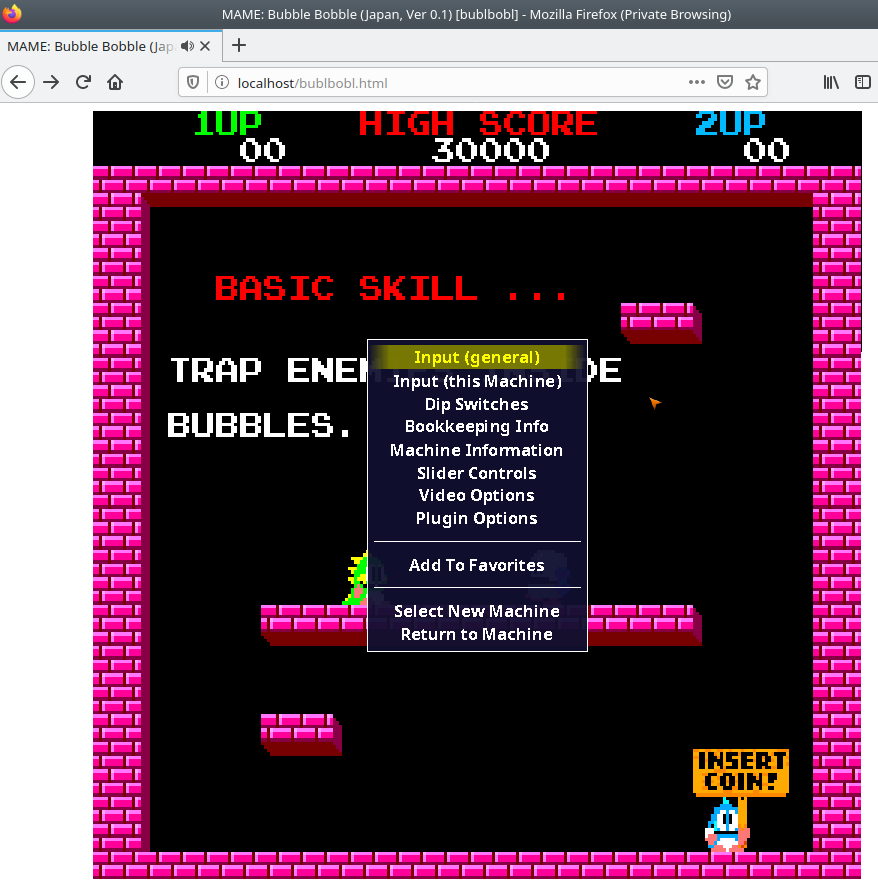](https://www.knoats.com/uploads/images/gallery/2020-07/image-1593701451874.png)
### Local MAME Installation
This step is intended to build and run mame on a local machine, and not technically required to host MAME within a webserver. It can be a nice way to verify ROMS by checking if you are able to run them locally, though. If not interested in this testing feature, you can skil to the section below on Emscripten.
```bash
git clone https://github.com/mamedev/mame
cd mame && make
```
If you have access to multiple cores, be sure to pass the -j5 flag in the command above to take advantage of the extra processing power. Generally, the rule of thumb is to pass the number of cores in your processor + 1 to the -j flag.
#### Depends
> To compile MAME, you need a C++14 compiler and runtime library. We support building with GCC version 7.2 or later and clang version 5 or later. MAME should run with GNU libstdc++ version 5.1 or later. - [MAME All Platform Docs](https://docs.mamedev.org/initialsetup/compilingmame.html#all-platforms)
GCC 7.2 or later
```
gcc -v
Using built-in specs.
COLLECT_GCC=gcc
COLLECT_LTO_WRAPPER=/usr/lib/gcc/x86_64-linux-gnu/9/lto-wrapper
OFFLOAD_TARGET_NAMES=nvptx-none:hsa
OFFLOAD_TARGET_DEFAULT=1
Target: x86_64-linux-gnu
Configured with: ../src/configure -v --with-pkgversion='Ubuntu 9.3.0-10ubuntu2' --with-bugurl=file:///usr/share/doc/gcc-9/README.Bugs --enable-languages=c,ada,c++,go,brig,d,fortran,objc,obj-c++,gm2 --prefix=/usr --with-gcc-major-version-only --program-suffix=-9 --program-prefix=x86_64-linux-gnu- --enable-shared --enable-linker-build-id --libexecdir=/usr/lib --without-included-gettext --enable-threads=posix --libdir=/usr/lib --enable-nls --enable-clocale=gnu --enable-libstdcxx-debug --enable-libstdcxx-time=yes --with-default-libstdcxx-abi=new --enable-gnu-unique-object --disable-vtable-verify --enable-plugin --enable-default-pie --with-system-zlib --with-target-system-zlib=auto --enable-objc-gc=auto --enable-multiarch --disable-werror --with-arch-32=i686 --with-abi=m64 --with-multilib-list=m32,m64,mx32 --enable-multilib --with-tune=generic --enable-offload-targets=nvptx-none,hsa --without-cuda-driver --enable-checking=release --build=x86_64-linux-gnu --host=x86_64-linux-gnu --target=x86_64-linux-gnu
Thread model: posix
gcc version 9.3.0 (Ubuntu 9.3.0-10ubuntu2)
```
Clang 5 or later
```
clang --version
clang version 10.0.0-4ubuntu1
Target: x86_64-pc-linux-gnu
Thread model: posix
InstalledDir: /usr/bin
```
libstdc++ 5.1 or later
```
ldconfig -p | grep libstdc
libstdc++.so.6 (libc6,x86-64) => /lib/x86_64-linux-gnu/libstdc++.so.6
libstdc++.so.6 (libc6) => /lib32/libstdc++.so.6
```
### Emscripten
[About EMscripten](https://emscripten.org/docs/introducing_emscripten/about_emscripten.html#about-emscripten)
#### Depends
> Python, CMake, and Java are not provided by emsdk. The user is expected to install these beforehand with the system package manager - [Emscripten Linux Install Docs](https://emscripten.org/docs/getting_started/downloads.html#linux)
```bash
# Install Python
sudo apt-get install python2.7
# Install CMake (optional, only needed for tests and building Binaryen)
sudo apt-get install cmake
# Install Java (optional, only needed for Closure Compiler minification)
sudo apt-get install default-jre
```
#### Installation
This is very well documentated at [EMscripten.org](https://emscripten.org/docs/getting_started/downloads.html#installation-instructions)
```bash
# Get the emsdk repo
git clone https://github.com/emscripten-core/emsdk.git
# Enter that directory
cd emsdk
# Fetch the latest version of the emsdk (not needed the first time you clone)
git pull
# Download and install the latest SDK tools.
./emsdk install latest
# Make the "latest" SDK "active" for the current user. (writes .emscripten file)
./emsdk activate latest
# Activate PATH and other environment variables in the current terminal
source ./emsdk_env.sh
```
##### Errors
Had [this issue](https://github.com/emscripten-core/emscripten/issues/10958) as well at a few different points during installation, running Kubuntu 20.04 in a virtualbox VM. I was able to manually wget the files returning 104's with no problems, though. After reading the previous comment, I just kept rerunning the command to install and eventually each error resolved itself. Errors I encountered are below
First 104
```
Installing SDK 'sdk-releases-upstream-1914a1543f08cd8e41f44c2bb05f7a90d1920275-64bit'..
Installing tool 'node-12.18.1-64bit'..
Downloading: /home/kapper/mame-ems/emsdk/zips/node-v12.18.1-linux-x64.tar.xz from https://storage.googleapis.com/webassembly/emscripten-releases-builds/deps/node-v12.18.1-linux-x64.tar.xz, 14695604 Bytes
Error: Downloading URL 'https://storage.googleapis.com/webassembly/emscripten-releases-builds/deps/node-v12.18.1-linux-x64.tar.xz': [Errno 104] Connection reset by peer
Installation failed!
```
So at this point, I try `wget` to grab the errored URL above. It errors once, retries and continues ¯\_(ツ)_/¯
```
--2020-07-01 11:45:47-- https://storage.googleapis.com/webassembly/emscripten-releases-builds/deps/node-v12.18.1-linux-x64.tar.xz
Resolving storage.googleapis.com (storage.googleapis.com)... 172.217.4.208, 172.217.6.112, 172.217.1.48, ...
Connecting to storage.googleapis.com (storage.googleapis.com)|172.217.4.208|:443... connected.
HTTP request sent, awaiting response... 200 OK
Length: 14695604 (14M) [application/x-tar]
Saving to: ‘node-v12.18.1-linux-x64.tar.xz’
node-v12.18.1-linux-x64.tar.xz 4%[=> ] 690.86K 3.53MB/s in 0.2s
2020-07-01 11:45:48 (3.53 MB/s) - Read error at byte 707444/14695604 (Connection reset by peer). Retrying.
--2020-07-01 11:45:49-- (try: 2) https://storage.googleapis.com/webassembly/emscripten-releases-builds/deps/node-v12.18.1-linux-x64.tar.xz
Connecting to storage.googleapis.com (storage.googleapis.com)|172.217.4.208|:443... connected.
HTTP request sent, awaiting response... 206 Partial Content
Length: 14695604 (14M), 13988160 (13M) remaining [application/x-tar]
Saving to: ‘node-v12.18.1-linux-x64.tar.xz’
node-v12.18.1-linux-x64.tar.xz 100%[++========================================================>] 14.01M 10.2MB/s in 1.3s
2020-07-01 11:45:50 (10.2 MB/s) - ‘node-v12.18.1-linux-x64.tar.xz’ saved [14695604/14695604]
```
Ran it again, and it completes below..
```
Installing SDK 'sdk-releases-upstream-1914a1543f08cd8e41f44c2bb05f7a90d1920275-64bit'..
Installing tool 'node-12.18.1-64bit'..
Downloading: /home/kapper/mame-ems/emsdk/zips/node-v12.18.1-linux-x64.tar.xz from https://storage.googleapis.com/webassembly/emscripten-releases-builds/deps/node-v12.18.1-linux-x64.tar.xz, 14695604 Bytes
Unpacking '/home/kapper/mame-ems/emsdk/zips/node-v12.18.1-linux-x64.tar.xz' to '/home/kapper/mame-ems/emsdk/node/12.18.1_64bit'
Done installing tool 'node-12.18.1-64bit'.
Installing tool 'releases-upstream-1914a1543f08cd8e41f44c2bb05f7a90d1920275-64bit'..
Downloading: /home/kapper/mame-ems/emsdk/zips/1914a1543f08cd8e41f44c2bb05f7a90d1920275-wasm-binaries.tbz2 from https://storage.googleapis.com/webassembly/emscripten-releases-builds/linux/1914a1543f08cd8e41f44c2bb05f7a90d1920275/wasm-binaries.tbz2, 121734269 Bytes
Error: Downloading URL 'https://storage.googleapis.com/webassembly/emscripten-releases-builds/linux/1914a1543f08cd8e41f44c2bb05f7a90d1920275/wasm-binaries.tbz2': [Errno 104] Connection reset by peer
Installation failed!
```
Re-ran, Errno 104, ran again, and it completes below but npm has an integrity error?..
```
Installing SDK 'sdk-releases-upstream-1914a1543f08cd8e41f44c2bb05f7a90d1920275-64bit'..
Skipped installing node-12.18.1-64bit, already installed.
Installing tool 'releases-upstream-1914a1543f08cd8e41f44c2bb05f7a90d1920275-64bit'..
Downloading: /home/kapper/mame-ems/emsdk/zips/1914a1543f08cd8e41f44c2bb05f7a90d1920275-wasm-binaries.tbz2 from https://storage.googleapis.com/webassembly/emscripten-releases-builds/linux/1914a1543f08cd8e41f44c2bb05f7a90d1920275/wasm-binaries.tbz2, 121734269 Bytes
Unpacking '/home/kapper/mame-ems/emsdk/zips/1914a1543f08cd8e41f44c2bb05f7a90d1920275-wasm-binaries.tbz2' to '/home/kapper/mame-ems/emsdk/upstream'
Done installing tool 'releases-upstream-1914a1543f08cd8e41f44c2bb05f7a90d1920275-64bit'.
Running post-install step: npm ci ...
Error running ['/home/kapper/mame-ems/emsdk/node/12.18.1_64bit/bin/npm', 'ci', '--production']:
npm WARN tarball tarball data for google-closure-compiler@20200224.0.0 (sha512-V81dRYygdHbZtOtU16VX26xAdJBB1UZyfSg3OTzdNl3l/xEIx1D/L7TYUqjeTXsxcy+JruJ/UfUlIJAOaMRTog==) seems to be corrupted. Trying one more time.
npm WARN tarball tarball data for google-closure-compiler-js@20200224.0.0 (sha512-70VKN0kbnTRtu2dqxDjWZQGfEQIHj7b7oUUCsYPO5oEXCDfgxNc13oYUJXvrTONLRWlHCNl/I8FNrVOwZ3gY/g==) seems to be corrupted. Trying one more time.
npm WARN tarball tarball data for google-closure-compiler-java@20200224.0.0 (sha512-palFcDoScauZjWIsGDzMK6h+IctcRb55I3wJX8Ko/DTSz72xwadRdKm0lGt8OoYL7SKEO+IjgD7s8XrAGpLnlQ==) seems to be corrupted. Trying one more time.
npm WARN tarball tarball data for google-closure-compiler-windows@20200224.0.0 (sha512-l6w2D8r9+GC9CQTAYEMAuNI996Zb6YV5qG7+FR0gCoL6h6S3Mc7mi87bafgwaicsVcmmHE/9kCBuW4ZyTMs5Fg==) seems to be corrupted. Trying one more time.
npm WARN tarball tarball data for google-closure-compiler-osx@20200224.0.0 (sha512-WXVNW9nPUqjvCe38mUIlBGEPVPCTKLtdaXC+q+kQdonkJFHNrpdyYWa746Y8cNP/byQyDNpPsqcKseZTLh17sQ==) seems to be corrupted. Trying one more time.
npm WARN tarball tarball data for google-closure-compiler-js@20200224.0.0 (sha512-70VKN0kbnTRtu2dqxDjWZQGfEQIHj7b7oUUCsYPO5oEXCDfgxNc13oYUJXvrTONLRWlHCNl/I8FNrVOwZ3gY/g==) seems to be corrupted. Trying one more time.
npm ERR! code EINTEGRITY
npm ERR! Verification failed while extracting google-closure-compiler-js@20200224.0.0:
npm ERR! Verification failed while extracting google-closure-compiler-js@20200224.0.0:
npm ERR! sha512-70VKN0kbnTRtu2dqxDjWZQGfEQIHj7b7oUUCsYPO5oEXCDfgxNc13oYUJXvrTONLRWlHCNl/I8FNrVOwZ3gY/g== integrity checksum failed when using sha512: wanted sha512-70VKN0kbnTRtu2dqxDjWZQGfEQIHj7b7oUUCsYPO5oEXCDfgxNc13oYUJXvrTONLRWlHCNl/I8FNrVOwZ3gY/g== but got sha512-kkaXeOSgbt9ACVn0Gk1PPZZFwuiC2jv31XjJqVoxCZ5MV1CIUzak2DxgSKP7kkKm2aUQOa93MTYaMGpJX7zisA==. (8864 bytes)
npm ERR! A complete log of this run can be found in:
npm ERR! /home/kapper/.npm/_logs/2020-07-01T15_47_42_550Z-debug.log
```
Ran one last time and it completes
```
Installing SDK 'sdk-releases-upstream-1914a1543f08cd8e41f44c2bb05f7a90d1920275-64bit'..
Skipped installing node-12.18.1-64bit, already installed.
Skipped installing releases-upstream-1914a1543f08cd8e41f44c2bb05f7a90d1920275-64bit, already installed.
Running post-install step: npm ci ...
Done running: npm ci
Done installing SDK 'sdk-releases-upstream-1914a1543f08cd8e41f44c2bb05f7a90d1920275-64bit'.
```
#### Compiling MAME Using Emscripten
As a test, from within the root directory of our mame installation, run the following command to compile the `pacman.cpp` driver
```bash
emmake make SUBTARGET=pacmantest SOURCES=src/mame/drivers/pacman.cpp
```
`SUBTARGET` can be any unique identifier you want to specify for this build.
Be sure to append `REGENIE=1` for rebuilds of mame to allow the settings to be rebuilt.
`SOURCES` can be used to target a driver program for testing..?
If you have access to multiple cores, be sure to pass the -j5 flag in the command above to take advantage of the extra processing power. Generally, the rule of thumb is to pass the number of cores in your processor + 1 to the -j flag.
>When the compilation reaches the emcc phase, you may see a number of "unresolved symbol" warnings. At the moment, this is expected for OpenGL-related functions such as glPointSize. Any others may indicate that an additional dependency file needs to be specified in the SOURCES list. Unfortunately this process is not automated and you will need to search the source tree to locate the files supplying the missing symbols. You may also be able to get away with ignoring the warnings if the code path referencing them is not used at run-time. - [MAME Emscripten Javacript and HTML Docs](https://docs.mamedev.org/initialsetup/compilingmame.html#emscripten-javascript-and-html)
> **If all goes well**, a .js file will be output to the current directory. This file cannot be run by itself, but requires an HTML loader to provide it with a canvas to output to and pass in command-line parameters. The Emularity project provides such a loader. - [MAME Emscripten Javacript and HTML Docs](https://docs.mamedev.org/initialsetup/compilingmame.html#emscripten-javascript-and-html)
##### Errors
I faced the following error with `LzmaEnc.c` when compiling MAME using Emscripten
```bash
../../../../../3rdparty/lzma/C/LzmaEnc.c:1405:9: error: misleading indentation; statement is not part of the previous 'if' [-Werror,-Wmisleading-indentation]
{
^
../../../../../3rdparty/lzma/C/LzmaEnc.c:1401:7: note: previous statement is here
if (repIndex == 0)
```
This can be resolved by opening the file referenced in the error above for editing within vim. Once open, run `:1405` to jump to the block of code resulting in errors. You should see the code block below
```c
1401 if (repIndex == 0)
1402 startLen = lenTest + 1;
1403
1404 /* if (_maxMode) */
1405 {
1406 UInt32 lenTest2 = lenTest + 1;
1407 UInt32 limit = lenTest2 + p->numFastBytes;
1408 if (limit > numAvailFull)
1409 limit = numAvailFull;
1410 for (; lenTest2 < limit && data[lenTest2] == data2[lenTest2]; lenTest2++);
1411 lenTest2 -= lenTest + 1;
1412 if (lenTest2 >= 2)
1413 {
1414 UInt32 nextRepMatchPrice;
1415 UInt32 state2 = kRepNextStates[state];
1416 UInt32 posStateNext = (position + lenTest) & p->pbMask;
1417 UInt32 curAndLenCharPrice =
1418 price + p->repLenEnc.prices[posState][lenTest - 2] +
1419 GET_PRICE_0(p->isMatch[state2][posStateNext]) +
1420 LitEnc_GetPriceMatched(LIT_PROBS(position + lenTest, data[lenTest - 1]),
1421 data[lenTest], data2[lenTest], p->ProbPrices);
1422 state2 = kLiteralNextStates[state2];
1423 posStateNext = (position + lenTest + 1) & p->pbMask;
1424 nextRepMatchPrice = curAndLenCharPrice +
1425 GET_PRICE_1(p->isMatch[state2][posStateNext]) +
1426 GET_PRICE_1(p->isRep[state2]);
1427
1428 /* for (; lenTest2 >= 2; lenTest2--) */
1429 {
1430 UInt32 curAndLenPrice;
1431 COptimal *opt;
1432 UInt32 offset = cur + lenTest + 1 + lenTest2;
1433 while (lenEnd < offset)
1434 p->opt[++lenEnd].price = kInfinityPrice;
1435 curAndLenPrice = nextRepMatchPrice + GetRepPrice(p, 0, lenTest2, state2, posStateNext);
1436 opt = &p->opt[offset];
1437 if (curAndLenPrice < opt->price)
1438 {
1439 opt->price = curAndLenPrice;
1440 opt->posPrev = cur + lenTest + 1;
1441 opt->backPrev = 0;
1442 opt->prev1IsChar = True;
1443 opt->prev2 = True;
1444 opt->posPrev2 = cur;
1445 opt->backPrev2 = repIndex;
1446 }
1447 }
1448 }
1449 }
```
Notice the commented out `/* if (_maxMode) */` on line `1404`, right above the indented block causing the error.
In the interest of using vim efficiently, this can be fixed in a few keystrokes from our current position after running `:1405` within vim. Simply press `v%<<` to correct this block and save with `:w`. Now retry the compilation of pacmantest using the same command as before and everything should complete normally.
I'm not sure whos problem this would be, but there [is no open issue on the emscripten GitHub](https://github.com/emscripten-core/emscripten/issues?q=is%3Aissue+is%3Aopen+LzmaEnc.c)
### Configure Emularity
[Emularity GitHub](https://github.com/db48x/emularity)
See [TECHNICAL.md](https://github.com/db48x/emularity/blob/master/TECHNICAL.md) file for more technical documentation
Clone this repo, either directly within the root of your webserver or in another location and manually copy over the following files / directories to the root of your web server.
* `emulators/`
* `examples/`
* `images/`
* `logo/`
* `es6-promise.js`
* `browserfs.min.js`
* `loader.js`
* `example_arcade.html`
First, take a look at the [Emularity Example Arcade File](https://github.com/db48x/emularity/blob/master/example_arcade.html) as a good starting point. This file, `example_arcade.html`, contains the general directions below
```html
```
By default, this file contains the following HTML
```html
example arcade game
```
Before we continue, we will need to grab the relevant .js.gz for the game we are emulating from an [Emularity archive](https://archive.org/download/emularity_engine_v1). For me, this was `mamebublbobl.js.gz`. [Direct Download](https://archive.org/download/emularity_engine_v1/mamebublbobl.js.gz). Run `sudo gzip -d mamebublbobl.js.gz` to extract the .js file needed to emulate this ROM.
The .js file extracted needs to be placed within the relevant directory specified within example_arcade.html.
To adjust this to my system, I need to edit `driver`, `emulatorJS`, `mountFile`, and `fetchFile`. If needed, the file can be adjusted further to suit your preferences or ROMS. My working `example_arcade.html` is seen below
```html
example arcade game
```
Found on Emularity's GitHub, [loader.js](https://github.com/db48x/emularity/blob/master/loader.js) around line `1228`, we can see the `Emulator` object's source code below.
```js
/**
* Emulator
*/
function Emulator(canvas, callbacks, loadFiles) {
if (typeof callbacks !== 'object') {
callbacks = { before_emulator: null,
before_run: callbacks };
}
var js_url;
var requests = [];
var drawloadingtimer;
// TODO: Have an enum value that communicates the current state of the emulator, e.g. 'initializing', 'loading', 'running'.
var has_started = false;
var loading = false;
var defaultSplashColors = { foreground: 'white',
background: 'black',
failure: 'red' };
var splash = { loading_text: "",
spinning: true,
finished_loading: false,
colors: defaultSplashColors,
table: null,
splashimg: new Image() };
var runner;
var muted = false;
var SDL_PauseAudio;
this.isMuted = function () { return muted; };
this.mute = function () { return this.setMute(true); };
this.unmute = function () { return this.setMute(false); };
this.toggleMute = function () { return this.setMute(!muted); };
this.setMute = function (state) {
muted = state;
if (runner) {
if (state) {
runner.mute();
} else {
runner.unmute();
}
}
else {
try {
if (!SDL_PauseAudio)
SDL_PauseAudio = Module.cwrap('SDL_PauseAudio', '', ['number']);
SDL_PauseAudio(state);
} catch (x) {
console.log("Unable to change audio state:", x);
}
}
return this;
};
```
### Configure NGINX
If not installed, `sudo apt install nginx` to install and enable the nginx service on your local machine. If things are working normally, we should be able to visit `localhost` within a web browser to view the default nginx HTML example page. Next, we'll change this landing page to point to a directory where we will later copy our compiled emscripten files along with the relative [emularity](https://github.com/db48x/emularity) configurations.
Edit `/etc/nginx/sites-enabled/default` to pass to your preferred directory on your server by changing the `root` directive within the `server` block to point to your directoy, as seen below.
```nginx
server {
listen 80 default_server;
listen [::]:80 default_server;
root /var/www/mame-ems;
server_name _;
location / {
# First attempt to serve request as file, then
# as directory, then fall back to displaying a 404.
try_files $uri $uri/ =404;
}
}
```
From the directory where we ran `emmake` to compile mame using emscripten (the root directory of mame on our system), we will need to relocate the following files to the root NGINX directory
* The compiled MAME .js file (Output by emscripten after running `emmake make`)
* The compiled MAME .wasm file if using WebAssembly (*In this case, we are not*)
* The .js files from the Emularity package (es6-promise.js, browserfs.min.js and
loader.js are required)
* A .zip file with the ROMs for the MAME driver you would like to run (if any)
* An Emularity loader .html modified to point to all of the above
Additionally, if you have any other software files you would like to run with the MAME driver, be sure to move them to the root NGINX directory as well.